Asset Science
All products
iOS & macOS

Mac Restore

Restore, flash and erase Macs and iOS devices at bench scale, with the erasure certified to ADISA assurance level 4.

What it does

A connected device is taken through the full restore pipeline without an operator babysitting each step: enter DFU, restore firmware, clear content, check activation and setup, verify, upload the result. Macs and iOS devices run side by side on the same bench.

  • macOS and iOS restoring and flashing
  • Certified to ADISA assurance level 4
  • NIST 800-88 compliant erasure
  • Reports and certificates, PDF and web
  • Results land in Control Center with everything else

Erasure you can hand to an auditor

The erase is verified rather than assumed, and the method used is named in the record. The certificate is published at the device level, so a buyer can check a specific unit instead of taking a batch claim on trust.

Built for a full bench

Three views of the same floor, because a bench of four and a bench of forty-eight are different problems. Tiles give each slot its step checklist, rows compress the floor to one line per slot, and the wall sorts everything by what needs a human next.

  • Tiles, rows and wall views of the same run
  • Macs and iOS devices restoring side by side
  • A failure names its reason on the card, not in a log file
  • Per-slot elapsed time and a total-time strip
In the product
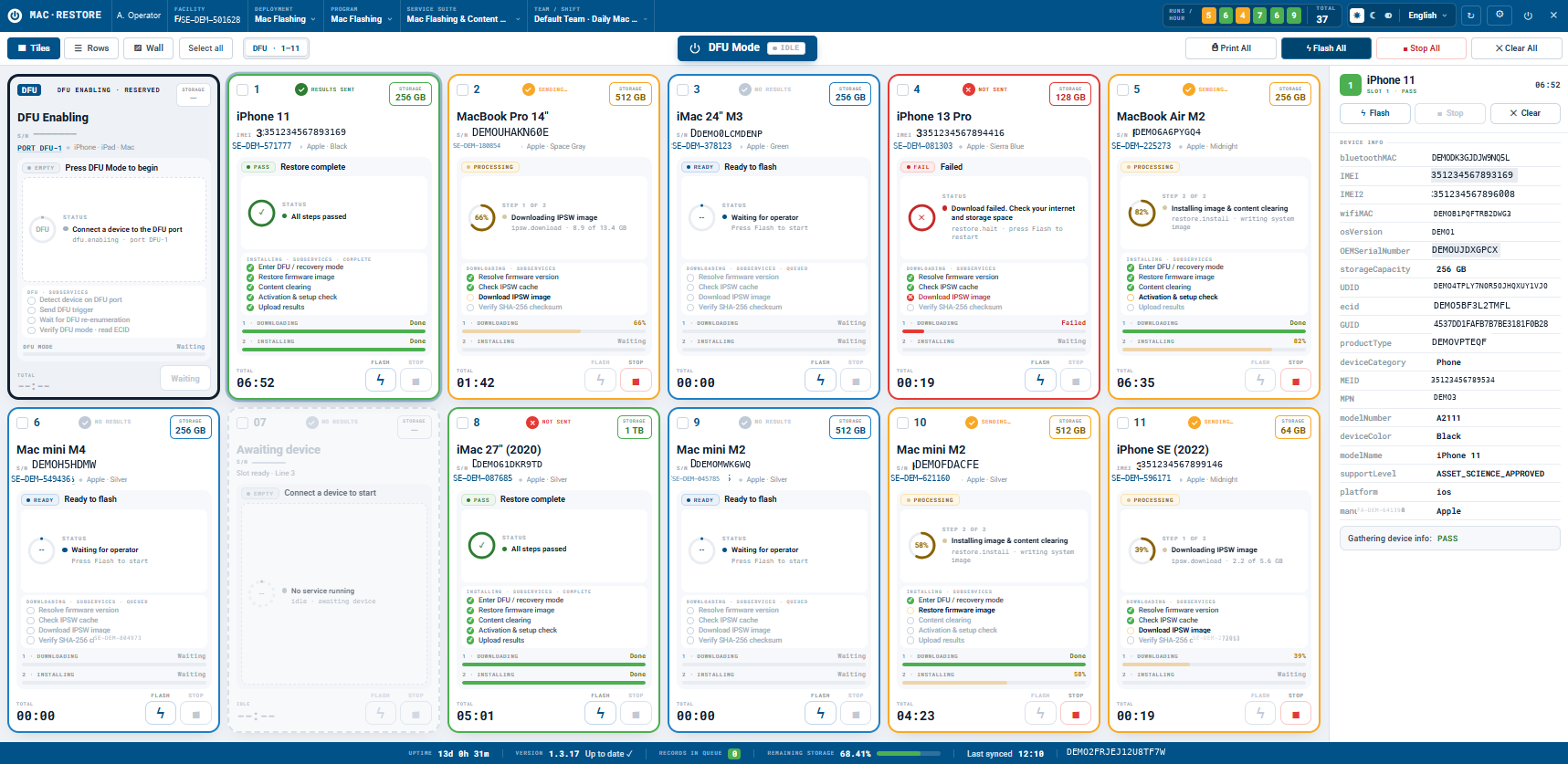
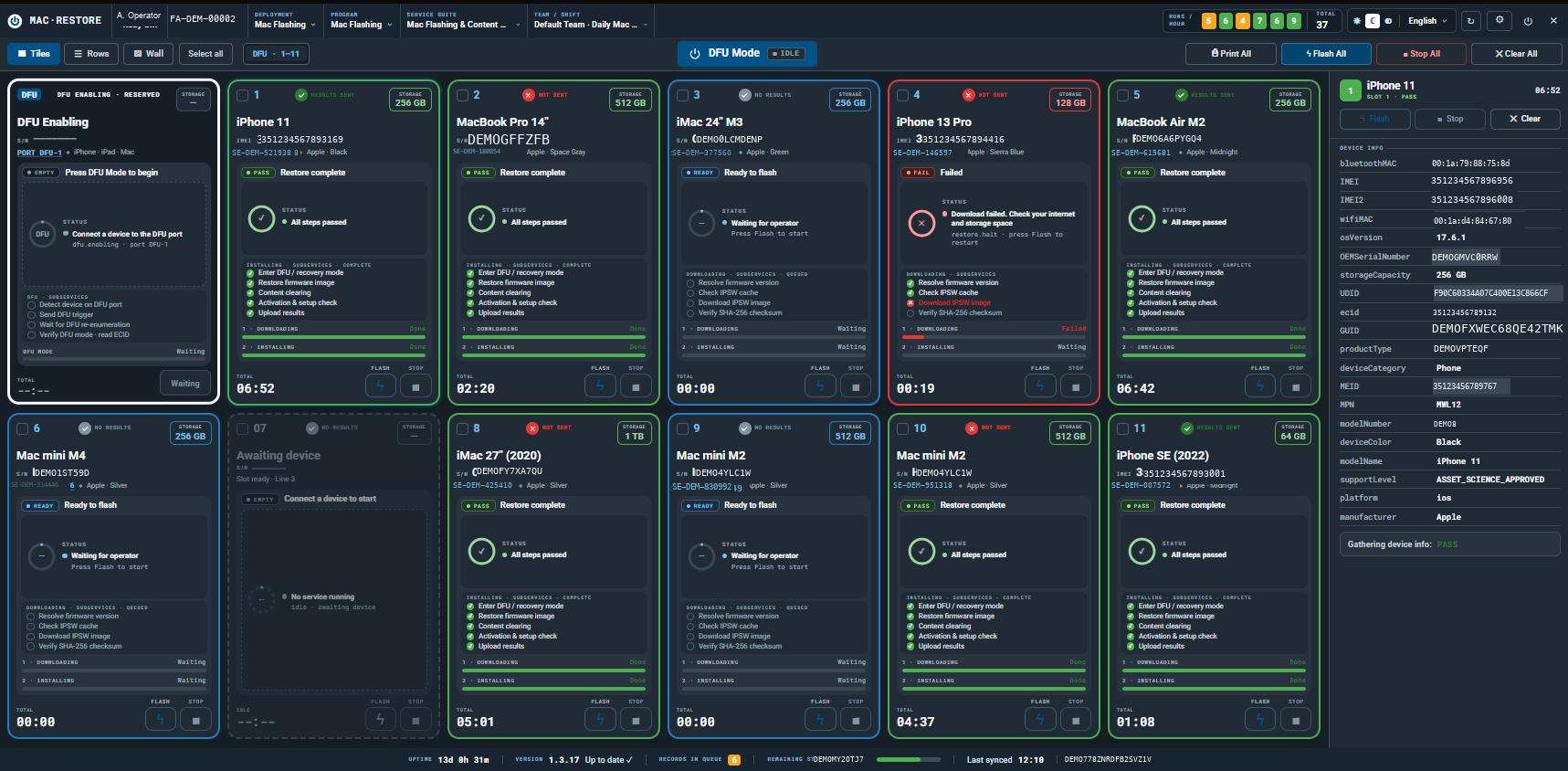
Mac Restore tiles view in dark mode: a DFU enabling panel beside eleven device slots, each showing the restore step checklist — enter DFU, restore firmware, content clearing, activation and setup check, verify SHA-256, upload results — with a device information rail on the right.
Eleven slots at once, each showing exactly which step it is on: enter DFU, restore firmware, clear content, check activation, verify SHA-256, upload results.Mac Restore → Tiles
Mac Restore tiles view with several slots mid-restore, showing downloading and installing progress bars, one failed slot reporting a download error, and per-slot elapsed timers.
Mixed Macs and iPhones restoring in parallel, with per-slot progress and elapsed time. A failure shows its reason on the tile rather than in a log.Mac Restore → Tiles, mid-run
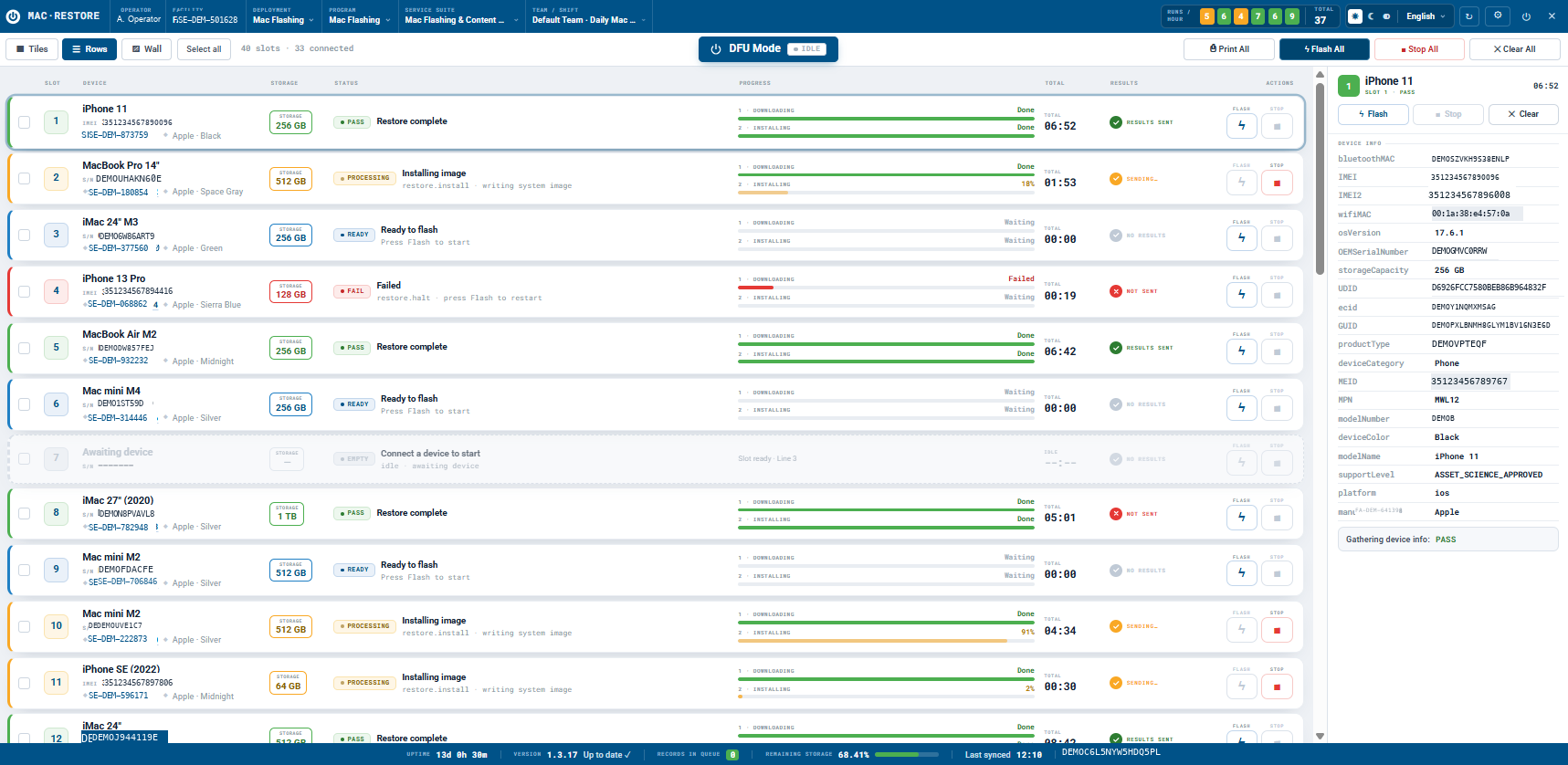
Mac Restore rows view in light mode listing 48 slots with 33 connected, one line per slot with two-phase downloading and installing progress bars, status and results-sent state.
Forty-eight slots, thirty-three connected, one line each — the density a supervisor wants when the bench is full.Mac Restore → Rows
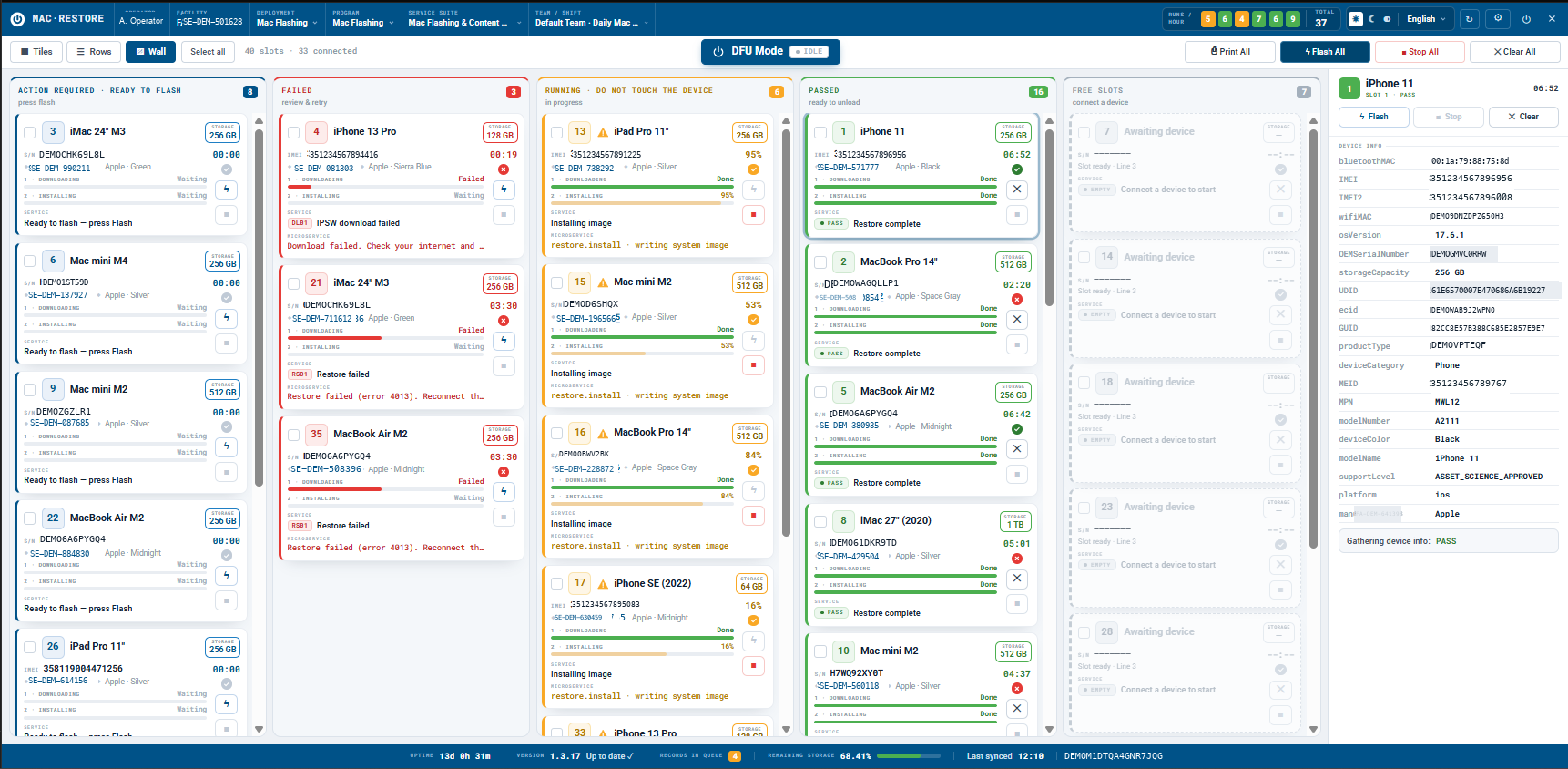
Mac Restore wall view as a kanban board with columns for action required, failed, running, passed and free slots, each device card showing its service state and elapsed time.
The wall view sorts the bench by what needs a human: action required, failed, running, passed, free. Failures name themselves — a download error and a restore error here.Mac Restore → Wall
Mac Restore sign-in screen with an email and password form, five language options, and the version number in the corner.
Signs in against the same Control Center tenant as the rest of the bench.Mac Restore → Sign in

Put it on a bench and see.

Run your own devices through it, on your own floor, against your own grading scale. No credit card, and no sales call before you start.