
Data & Reporting Platform
Every run, every operator, every device — queryable, chartable and exportable without asking us for a report.
What it does
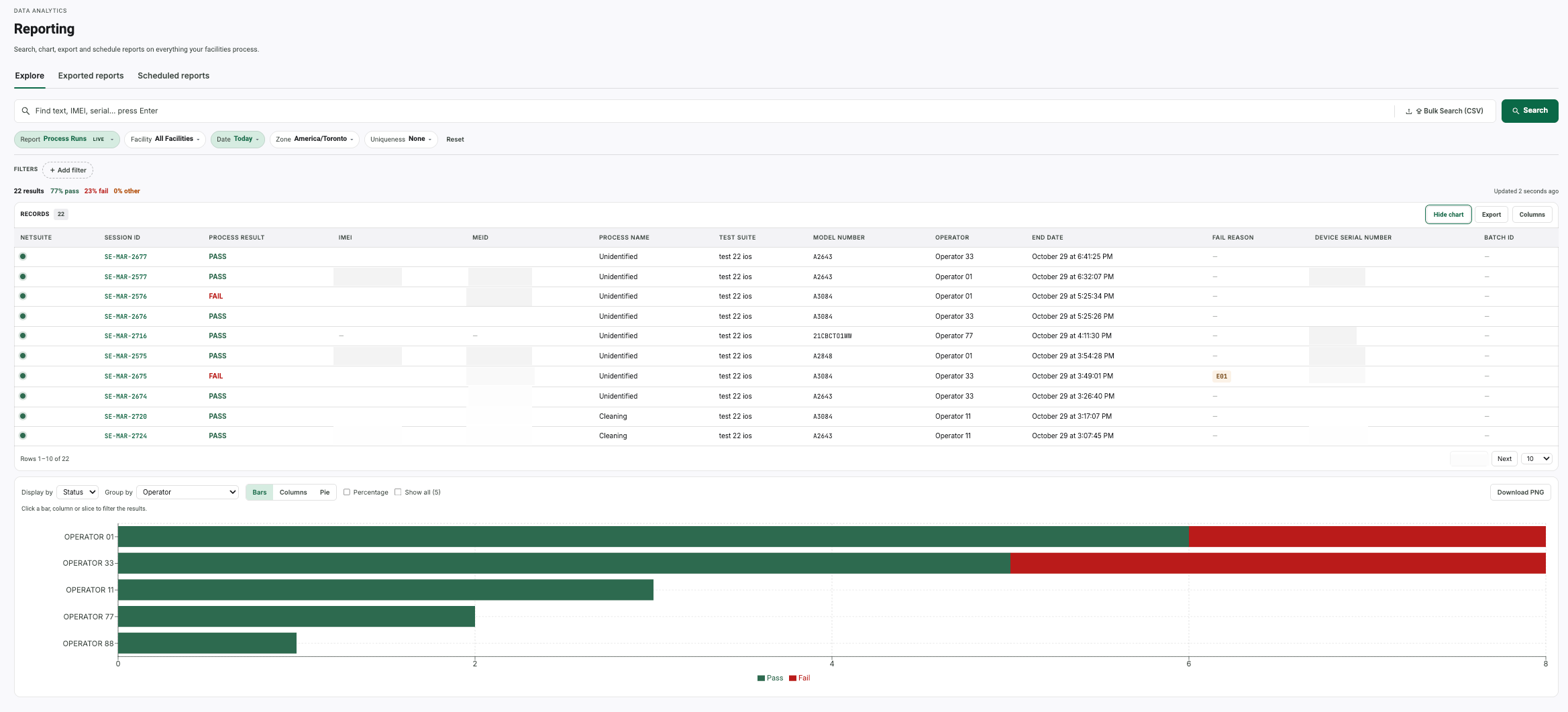
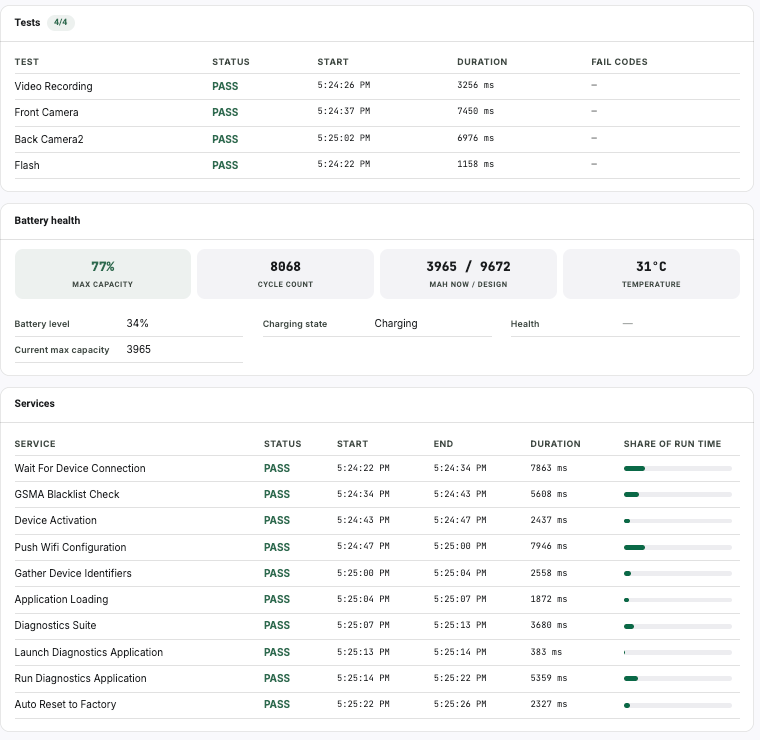
Explore is a live grid of process runs you can filter, chart and export. Device History is the full life of one unit: every test, every service, how long each took, and the certificate tiles that came out of it. Nothing is gated behind a higher plan tier.
- Live process-run grid with pass and fail bands
- Chart from the grid you are already looking at
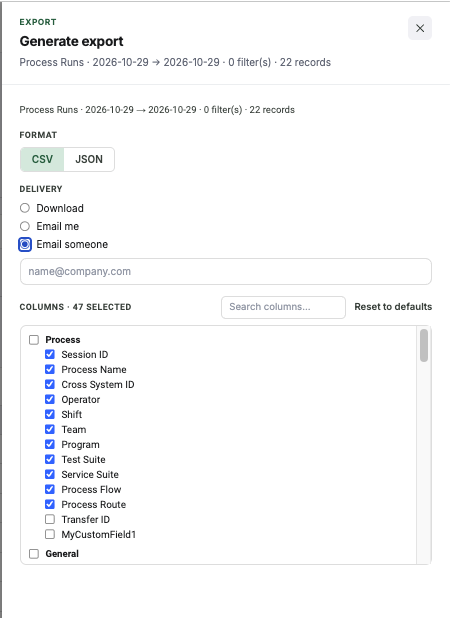
- 47 selectable columns on export, CSV or JSON
- Download, email yourself, or email someone else
- Scheduled reports, weekly or monthly
- Bulk device lookup from a CSV of up to 30,000 identifiers
Operator audits and performance
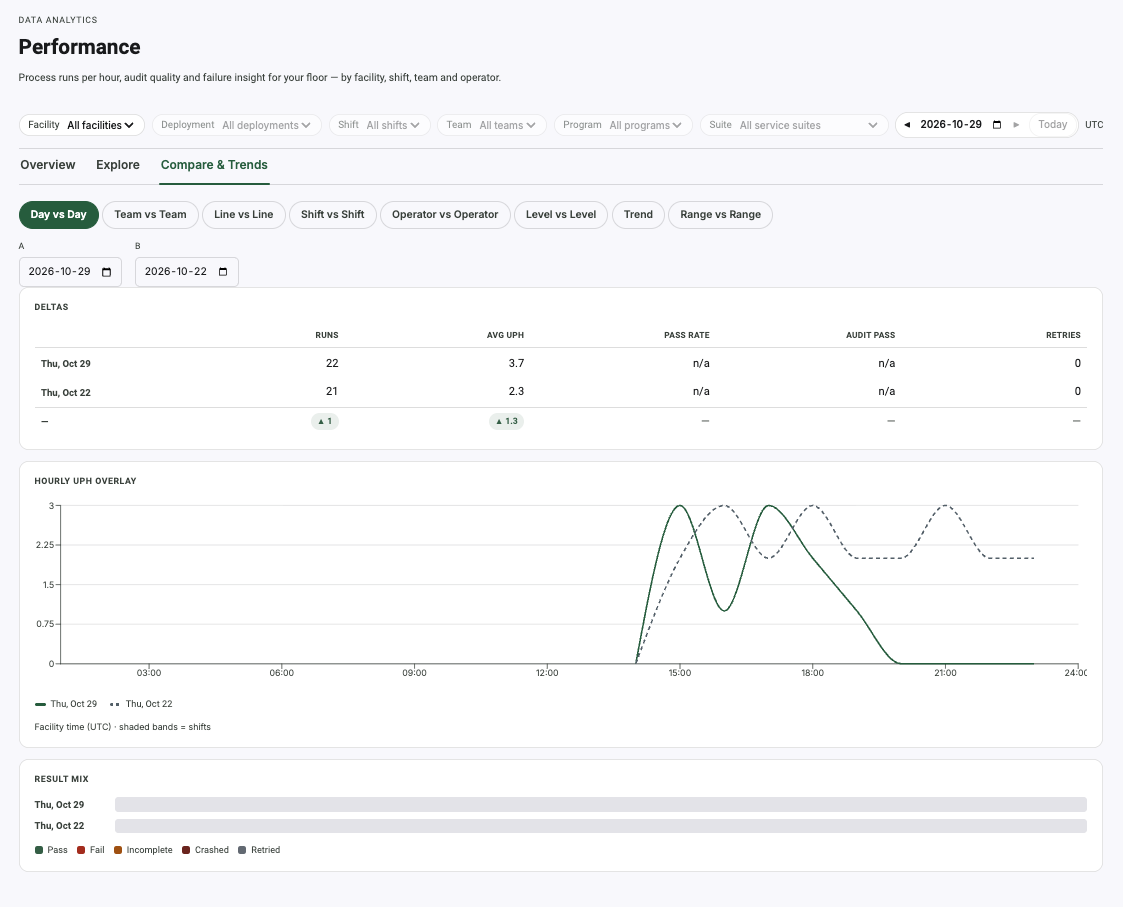
We pioneered operator auditing, and it is built into the product rather than bolted on. Hourly UPH with shift bands, day-over-day comparison, retry rates and fail drill-downs — so a supervisor can see which bench is slipping before the week's numbers land.
Put it on a bench and see.
Run your own devices through it, on your own floor, against your own grading scale. No credit card, and no sales call before you start.