Asset Science
All products
Cloud Portal

Control Center

The web platform where programs, suites, fail codes, SKUs and facilities are defined once — and every station on every floor follows them.

What it does

Control Center is where you decide what happens to a device, and the bench carries it out. A configuration wizard turns a plain-language goal — receiving, data wipe, diagnostics, cosmetic grading, cleaning, flashing — into the programs the stations run. Nothing about it requires our hardware.

  • Programs built from plain-language goals, not scripts
  • Test suites per platform: Android, iOS, macOS and Linux
  • Self-defined fail codes and categories
  • Per-model test targeting, inclusion and exclusion
  • Role-based access across facilities, deployments and teams

Your data model, not ours

Custom fields, SKU groups and required identifiers are defined per customer. A field's identifier and type lock after creation so historical records stay readable, and display names are localised per language rather than hard-coded in English.
In the product
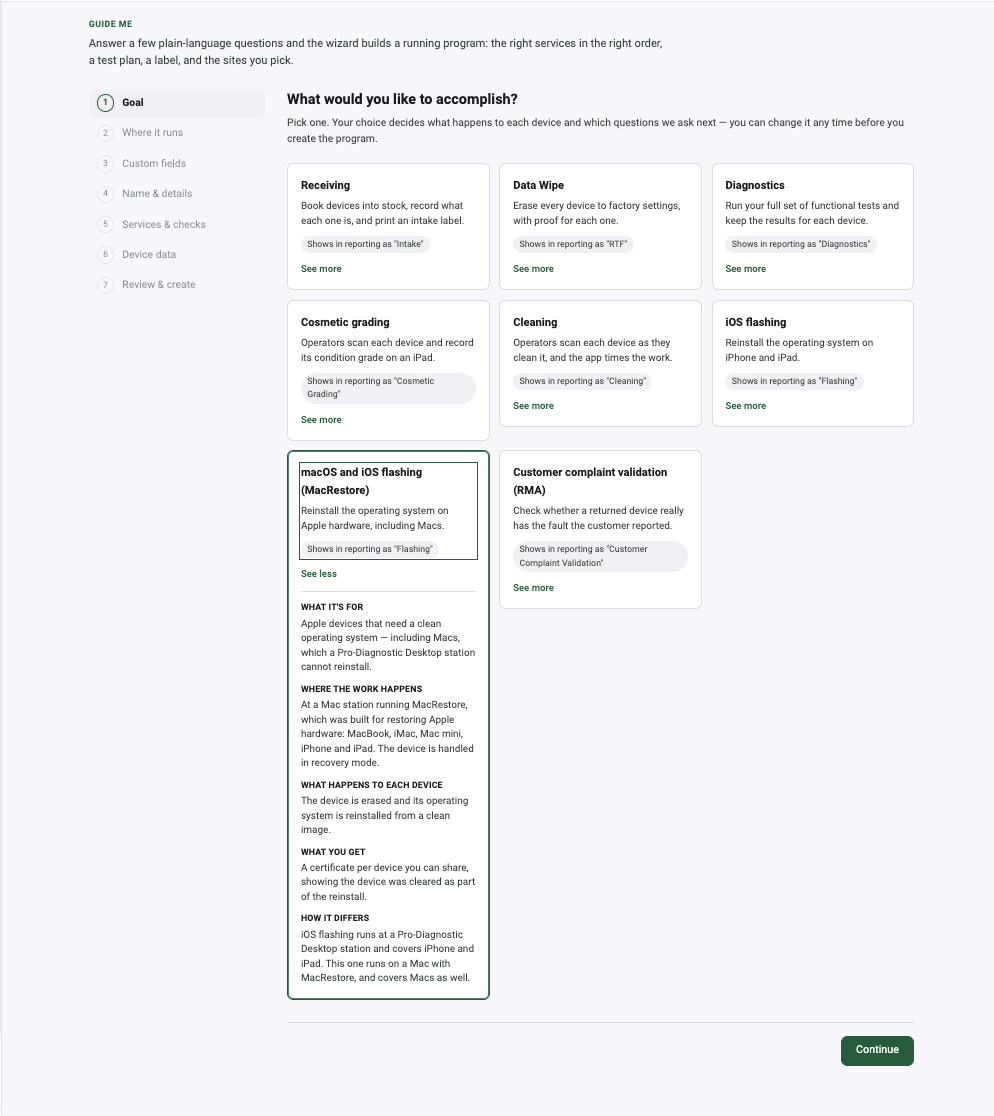
Configuration wizard step one, asking what you would like to accomplish, with eight plain-language program goals and the Mac Restore card expanded.
A program starts as a goal in plain language, not a script. Eight of them cover the whole range.Control Center → Guide Me → Configuration Wizard
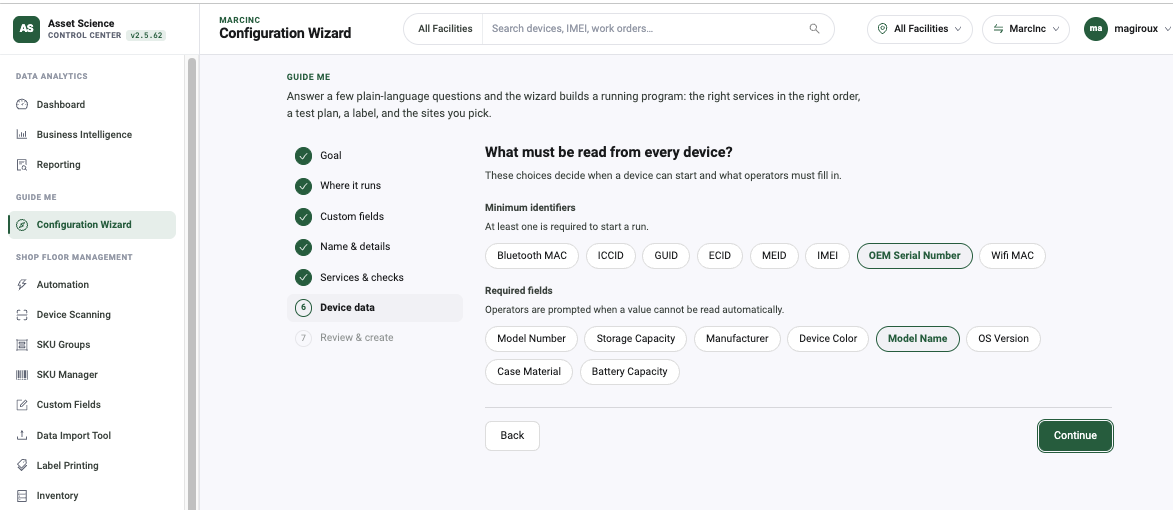
Configuration wizard step asking what must be read from every device, showing minimum identifier chips and required field chips.
You choose what every device must give up before it counts as received.Control Center → Configuration Wizard → Identifiers
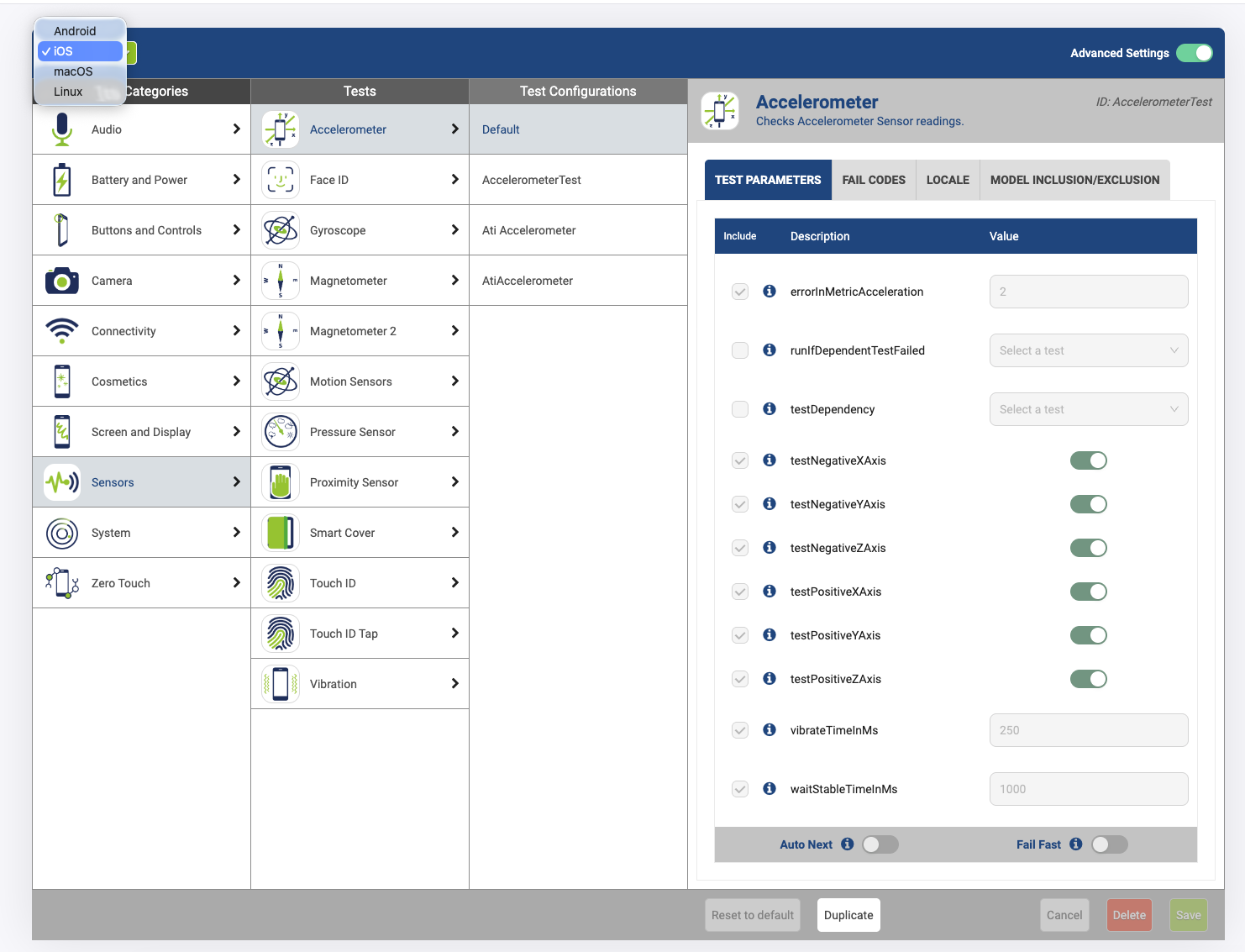
Test configuration screen with the platform dropdown open, showing Android, iOS, macOS and Linux.
Four configurable platforms, one place to configure them.Control Center → Advanced → Test Configurations
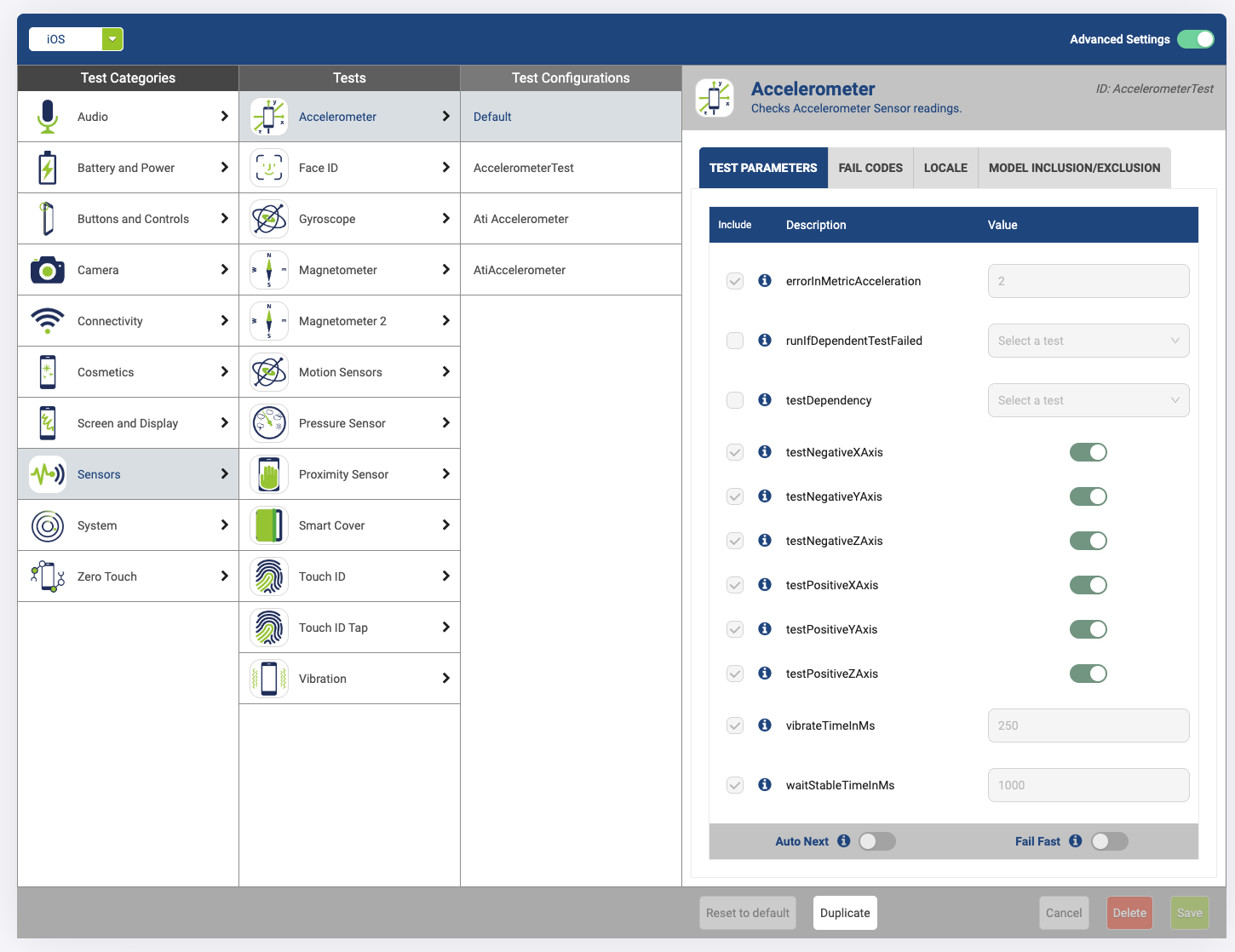
Per-test configuration for the accelerometer on iOS, with tabs for test parameters, fail codes, locale and model inclusion and exclusion.
Per-test parameters, fail codes and model-level inclusion or exclusion — a test can target exactly the models it applies to.Control Center → Advanced → Test Configurations
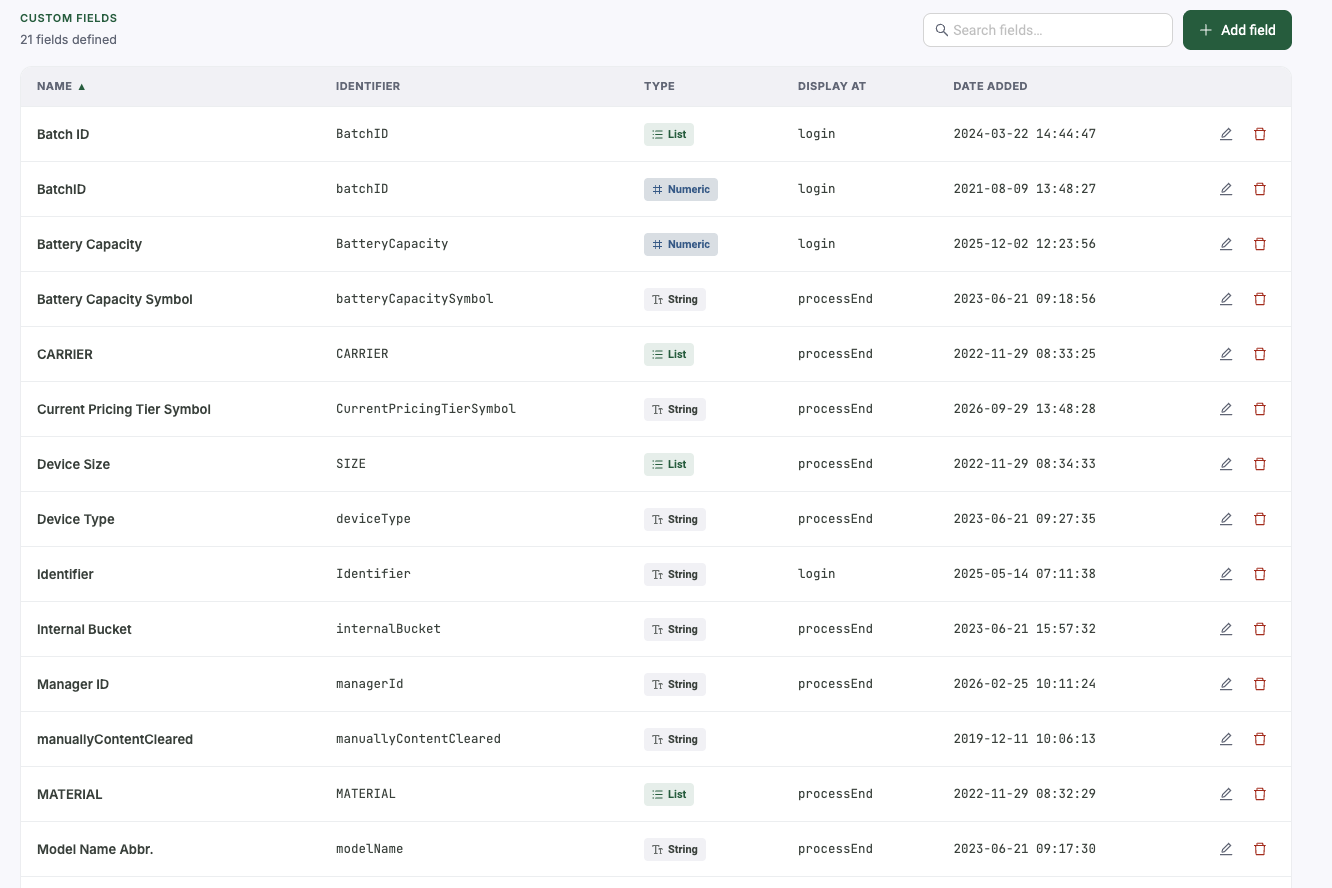
Custom fields list showing 21 defined fields with identifier, type and the stage at which each is displayed.
Twenty-one custom fields on this tenant, each with its own type and the stage it appears at.Control Center → Shop Floor Management → Custom Fields
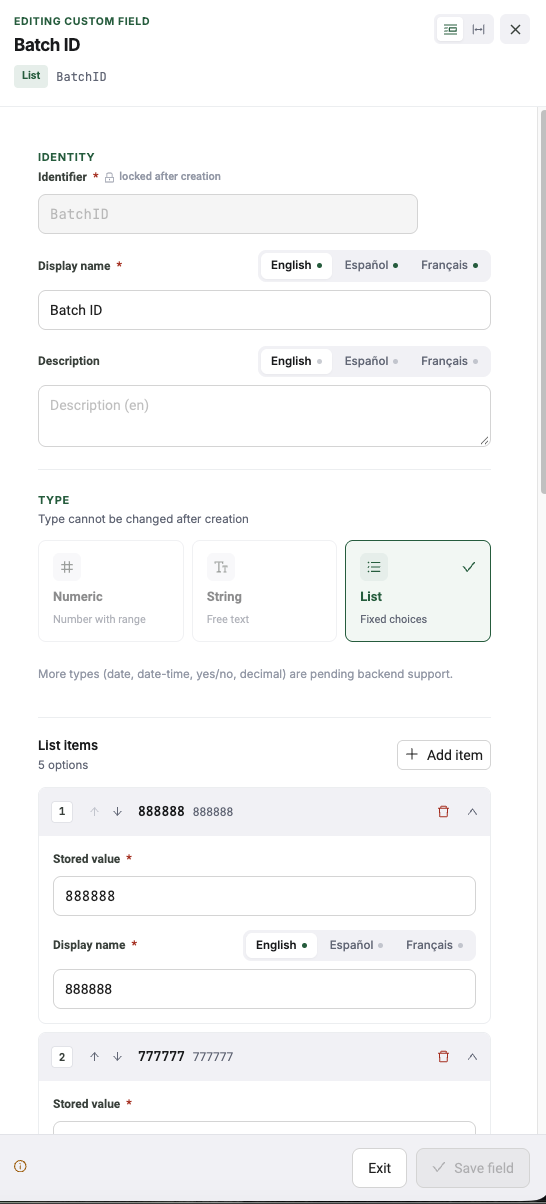
Editing a custom field named Batch ID, showing a locked identifier, display names in English, Spanish and French, a type locked after creation, and list items.
The identifier and type lock after creation so old records stay readable; the display name is localised per language.Control Center → Custom Fields → Edit
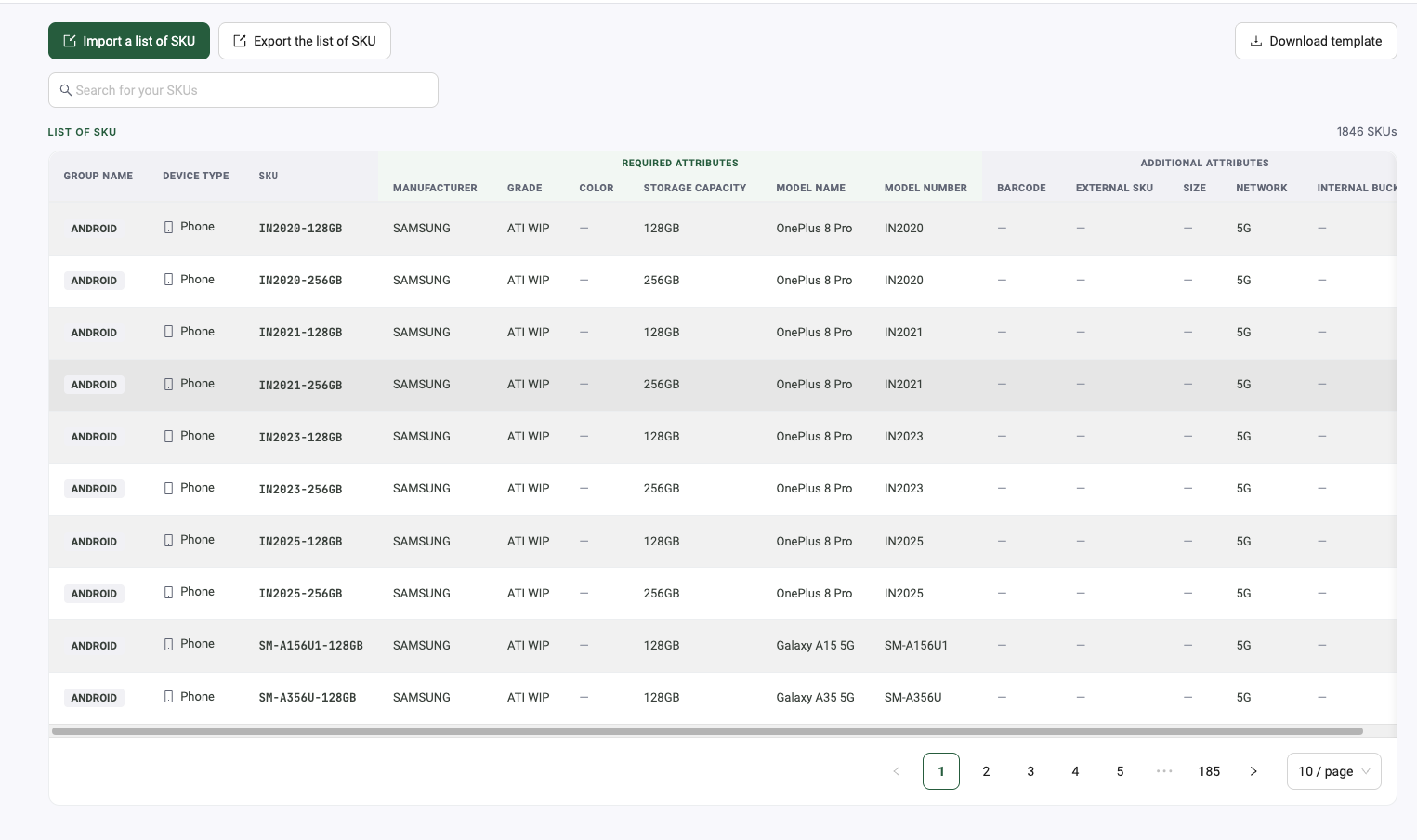
SKU manager showing 1,846 SKUs across 185 pages with import, export and template controls.
1,846 SKUs on this tenant, with import, export and templates.Control Center → Shop Floor Management → SKU Manager
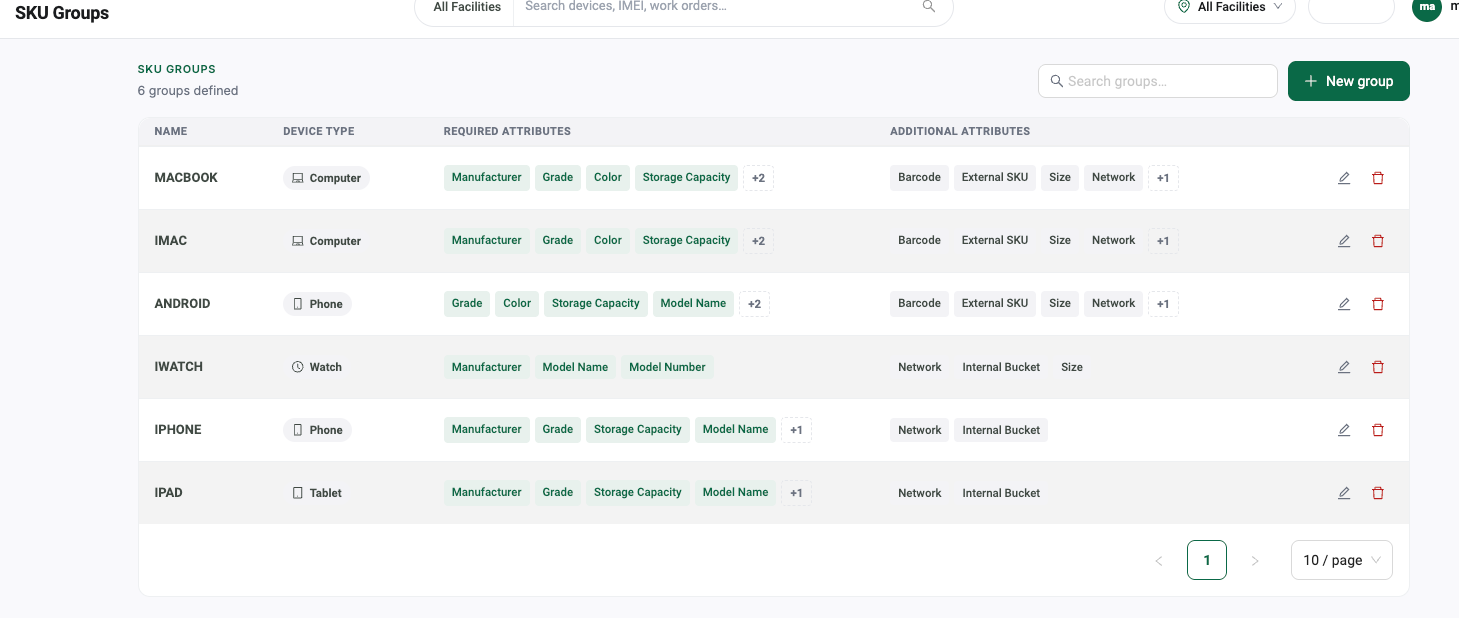
SKU groups screen showing six device-type groups with required and additional attribute chips.
SKU groups decide which attributes a device type must carry before it can be built.Control Center → Shop Floor Management → SKU Groups

Put it on a bench and see.

Run your own devices through it, on your own floor, against your own grading scale. No credit card, and no sales call before you start.